How to Play
This takes about ten seconds to figure out.
Step 1: Pick Your Timer
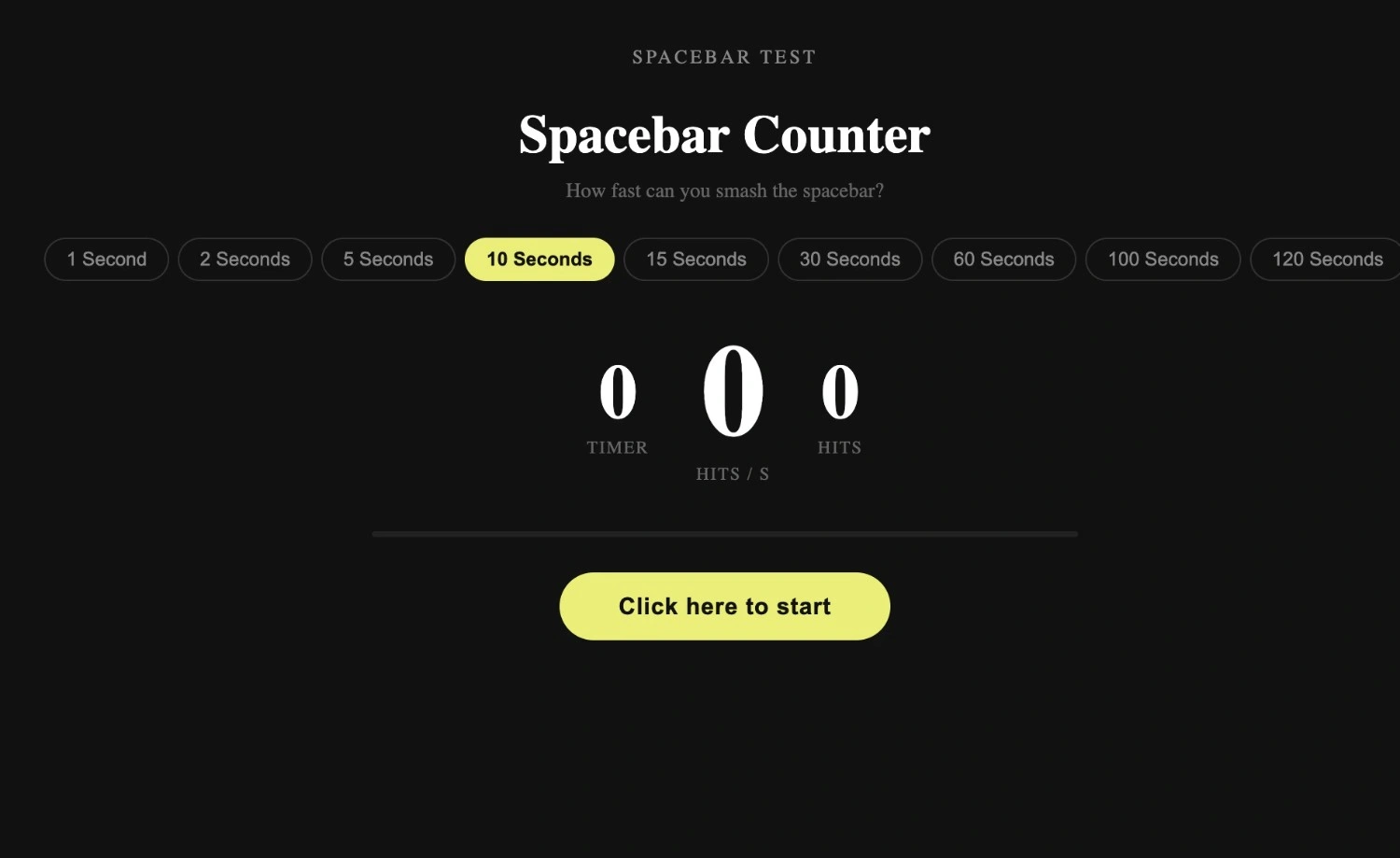
Choose how long you want to test yourself. We offer preset modes, 5 seconds, 10 seconds, 30 seconds, and 60 seconds, plus a custom timer if you want to set your own duration. Not sure which to pick? Start with 10 seconds. It is long enough to show your real pace but short enough to stay focused.
Step 2: Hit the Spacebar
Press the spacebar to start the timer. Keep clicking as fast as you can until it hits zero. Your total clicks and live CPS score appear on screen as you go, with visual feedback on every press so you can feel the rhythm building.
Step 3: Check Your Score
When time runs out, your results appear instantly: total clicks, average CPS, peak CPS, and a consistency percentage. Hit the restart button to reset everything to zero and go again, or share your scorecard to challenge friends. That is it. No tutorial needed.
One thing worth knowing before you start: combining spacebar presses with mouse left-clicks actually speeds up your score accumulation in the idle progression mode. Most new players stick to the spacebar alone and miss this entirely. Once you start purchasing automated upgrade "fingers" to click on your behalf, your points grow even when you step away from the keyboard. The catch is that getting to that point through rapid manual clicking alone is genuinely tiring; hand fatigue sets in faster than most people expect, especially when you are pushing for a score target like 10,000 points in one sitting.
What Is Spacebar Clicker?
Spacebar Clicker is a free browser game with one job: count how many times you can hit the spacebar. Press the key, watch the number go up, and see how fast you really are. No login. No download. No Flash. Just open the page and start clicking.
But it goes deeper than that. Under the surface, Spacebar Clicker is a reaction-speed and keyboard-consistency tool that happens to be genuinely fun. Your CPS (clicks per second) and APM (actions per minute) both update in real time as you play. You can chase a personal best, work through 20+ unlockable upgrades, compete on the global leaderboard, or just mess around between classes.
Whether you call it a spacebar clicker game, a spacebar click counter, or a spacebar clicking speed test, you are in the right place.
Spacebar Clicker Speed Test: How Fast Are You?
The spacebar click test is built directly into the game. Every session you play is a speed test. Pick your timer, press the spacebar, and your CPS score is waiting for you the moment time runs out.
Here is what the numbers actually mean.
What Is a Good CPS?
Most casual players land between 5 and 8 clicks per second on a 10-second test. That is a completely normal result, especially on a laptop keyboard.
| Level | CPS Range | What It Means |
|---|---|---|
| Beginner | 3 – 5 CPS | Just getting started |
| Average | 5 – 8 CPS | Solid everyday pace |
| Fast | 8 – 12 CPS | Above average, competitive range |
| Pro | 12 – 15 CPS | Top-tier human speed |
| World Record | 16+ CPS | Exceptional, verified records only |
Shorter tests almost always produce higher CPS scores because you cannot sustain peak speed for long. A 5-second test and a 60-second test from the same person will show very different numbers. That is expected.
Your keyboard plays a bigger role than most people expect. Mechanical keyboards register faster and more accurately than membrane or laptop boards. Players in gaming communities, particularly Geometry Dash players and Minecraft PvP players, regularly report that switching to a mechanical board improved both their speed and their click consistency.
Why Your Score Changes Between Sessions
You might hit 9 CPS one run, then 7 CPS the next. That is not the game being unreliable. Finger fatigue, hand position, how recently you warmed up, and even your browser tab focus can all shift your result. Run three tests and average the middle one; that number is closer to your real baseline than any single attempt.
Spacebar Clicker Features
Live CPS and APM Counter
Your clicks per second and actions per minute update in real time as you play. No waiting until the timer ends, you can watch your pace shift during the session and adjust your rhythm on the fly.
Six Timer Modes Including Custom
Choose from 5-second, 10-second, 30-second, and 60-second presets, or set a custom duration for longer endurance tests. Each mode reveals something different about your clicking. The 5-second test shows your burst speed. The 60-second test shows whether your pace holds up under sustained effort.
Detailed Score Breakdown
Every session gives you total clicks, average CPS, peak CPS, and a consistency percentage. That consistency score is something most spacebar-click counter tools do not show; it tells you how steady your pace was across the entire test, not just your best moment.
20+ Unlockable Achievements
The game includes over 20 achievements with real progression attached. Early achievements reward you for hitting CPS milestones. Later ones unlock multipliers, 2x, 5x, and 10x bonuses that multiply the value of every click. Reaching these changes determines how fast your score climbs and gives you a reason to keep coming back beyond just chasing a raw number.
Score Multipliers and Combo Bonuses
Base score increases by one per click. Active multipliers from achievements stack on top of that. Streak bonuses reward consistent high-speed clicking with exponential score gains. The combo system means two players with the same CPS can end up with very different scores depending on which upgrades they have unlocked.
Upgrade System
The game includes upgrades split across two categories: those that increase your clicking speed and those that boost points earned per tap. Deciding when to invest is part of the strategy. Early on, per-tap multipliers give faster returns. Later, speed upgrades start paying off more. You can also unlock auto-clickers that generate passive score even when you step away from the keyboard.
Global Leaderboard and Top 500 Challenge
Your score can be submitted to the global leaderboard. The Top 500 challenge tracks the best players in the world for sustained clicking, one full minute, full effort, real ranking. Scores generated by scripts or bots are removed without notice. The leaderboard is for human performance only.
Shareable Score Card
Every result screen includes a shareable scorecard. Screenshot it, copy the link, and drop it in a group chat. The social side of spacebar clicking is a big part of why it spread so fast, particularly on TikTok, where players post their scores and dare others to beat them.
Auto Spacebar Clicker: Free Online Tool
Want to see what 15 CPS looks like in practice? Or test whether the game registers every press accurately at high speed?
The auto clicker is built directly into this page. No download. No macros. No software is running on your system. It operates entirely inside the browser and stops the moment you close or navigate away.
How to Use the Auto Clicker
Set your target CPS using the slider. Choose your timer mode. Hit start. The tool simulates spacebar presses at your chosen pace, useful for watching how the counter behaves, checking whether your setup registers consistently, or simply seeing what a smooth 10 CPS rhythm actually looks like without your hands in the picture.
This makes the automatic spacebar clicker genuinely useful as a calibration tool. Run it at a set speed, compare the score against what you would expect, and you will know straight away whether your keyboard or browser is introducing any input lag.
Is Using an Auto Clicker Allowed?
On this site, yes, it is a built-in feature, not a cheat. On the global leaderboard and Top 500 challenge, no. Scores submitted using the auto clicker or any external tool will be removed. The leaderboard tracks human performance only.
Spacebar Clicker 2026: What's New
The 2026 edition includes updated world records, new achievement tiers, the consistency score metric on every results screen, and improved scoring accuracy for players hitting 12+ CPS. The upgrade system has been expanded to 20+ unlockables this year.
World record tracking has been updated to reflect current verified data. We do not pad the leaderboard with inflated benchmarks. The numbers you see are real.
The game is still completely free. No paywalls were added. No features locked behind a subscription. That will not change.
The 3-Step Spacebar Speed Method
Most players click randomly and wonder why their score does not improve. Here is a simple framework that actually works.
Step 1: Baseline Test
Run three tests: 5 seconds, 10 seconds, 30 seconds. Write down each result. This tells you your burst speed, your mid-range pace, and where your endurance starts to drop off.
Step 2: Consistency Check
Run each test three times. Use your highest and lowest numbers for each set. If the gap between your best and worst 10-second run is more than 2 CPS, consistency is your weak point, not raw speed. Fixing consistency will raise your average score faster than trying to squeeze out more peak CPS.
Step 3: Endurance Test
Run a full 60-second test. Most people see their CPS drop noticeably in the final 20 seconds. If yours drops sharply, your technique relies on short bursts rather than sustained rhythm. Working the 30-second test regularly will fix this faster than anything else.
Players who use clicking for actual gameplay, Geometry Dash players on laptop keyboards, and Minecraft PvP players report this exact pattern. Their burst numbers look great, but their scores fall apart over longer tests because the technique does not hold up under endurance pressure.
Clicking Techniques: Find What Works for You
There is no single right way to click the spacebar fast. Different techniques suit different hands. Here are the main ones.
One-Finger Thumb Tap
Most beginners use the thumb alone, pressing the flat middle of the key. It works. But the outer edge of the thumb, closer to the nail, gives faster, cleaner contact and less wasted movement. Most fast clickers find this position naturally after a few sessions.
Two-Finger Alternating
Some players use the index finger and middle finger in alternating taps. It spreads the work out over two fingers instead of one and can help with the CPS over short bursts. The drawback is that it requires better coordination to keep a consistent rhythm.
Thumb and Index Combo
A mixed approach, thumb does most presses, index finger fills the gaps during max effort. Harder to maintain consistently, but effective for players targeting the 12+ CPS range.
General Technique Notes
Keep your wrist still regardless of which method you use. The moment your wrist starts moving with each press, you lose rhythm and add fatigue. Thumb or finger movement only. Also: keep your keyboard flat and stable. A shifting keyboard reduces both speed and accuracy in ways that are hard to notice until you test on a fixed surface.
Why Spacebar Clicker Is Genuinely Addictive
It sounds like it should not be. Press one key. Watch a number go up. That is it.
But that is exactly why it works. The feedback is instant; every press registers in real time with a counter update and visual response. There is no loading screen, no tutorial, no waiting for results. You press the key and the game responds immediately. That loop is harder to put down than it sounds.
The competitive layer makes it worse, in a good way. Once you have a score, you want to beat it. Once you beat it, someone else's leaderboard position becomes the new target. The TikTok angle made this viral: people post their spacebar clicker scores, their friends try to beat them, and the cycle continues. It has the same structure as Cookie Clicker and similar idle games, a simple core loop, satisfying feedback, endless small goals to chase, but with a physical skill element that pure idle games lack.
The stress relief angle is real, too. Rhythmic tapping at a steady pace is genuinely calming for some people. It is a productive way to fill two minutes between tasks without committing to anything.
Benefits of Using a Spacebar Clicker
Improved Reaction Time
Rapid, consistent spacebar clicking trains your fingers and your nervous system to respond faster. Gamers who play FPS games, rhythm games, and real-time strategy titles use it as a warm-up and as a benchmark for their reaction speed.
Better APM for Competitive Gaming
APM, actions per minute, is a real metric in competitive gaming. A spacebar click test is one of the fastest ways to measure and improve your raw input rate. Players who practice clicking consistency see real improvements in their in-game APM over weeks of regular sessions.
Hand-Eye Coordination
The combination of watching your CPS update in real time while maintaining a clicking rhythm trains your hands and eyes to work together at speed. This means typing, gaming, and any other activity that calls for fast, precise finger use.
Typing Warm-Up
Typists and writers use short space bar clicking sessions as a hand warm-up before long work periods. It gets the blood flowing to the fingers, loosens stiffness, and sharpens focus before moving on to keyboard-heavy tasks.
Less Chance of Strain With Correct Use
Monitoring your clicking speed will help you identify when your speed is beginning to decrease, which is usually the first sign that your hand is tiring. Catching that early, stopping, and taking a short break reduces the risk of overuse strain far better than just clicking until your hand hurts. Take breaks between sessions. Keep sessions under a few minutes when practicing at intensity.
Spacebar Clicking in Gaming Culture
The spacebar has always been a significant key. In platformers, it is the jump button. In shooters, it handles reload or crouch. In strategy games, it pauses. For rhythm game players, it is often the primary input.
So a game built entirely around how fast you can press it fits right into gaming culture. Streamers run spacebar challenge segments during live sessions. Competitive players use it to test finger stamina before ranked matches. Speedrunners check their spacebar speed as part of their input setup verification.
The game traces its roots to early flash gaming, when clicker mechanics first appeared in things like Cookie Clicker and Tap Titans. The idea of measuring key-press speed grew out of that; players wanted to quantify something most people do without thinking. Social media challenges, particularly the "how many times can you hit spacebar in 10 seconds" format that went viral on TikTok, turned it from a niche tool into a mainstream activity.
Even outside gaming, it spread. Office workers use it during breaks. Students use it between revision sessions. It is one of the rare tools that does not require any prior gaming experience to find satisfying.
Spacebar vs Mouse Clicking: Which Is Faster?
This comes up a lot. The honest answer is: it depends on the person.
Most people can click the spacebar faster than a mouse button in short bursts. The spacebar is larger, easier to press cleanly, and activates with less precise finger positioning. That is why some gamers prefer the spacebar for rhythm games and platformers.
Over longer sessions, the spacebar creates more thumb and wrist fatigue than a single mouse button. Players who regularly test across both input types tend to score similarly on 5-second tests, a pattern covered in depth in our spacebar vs mouse clicking breakdown.
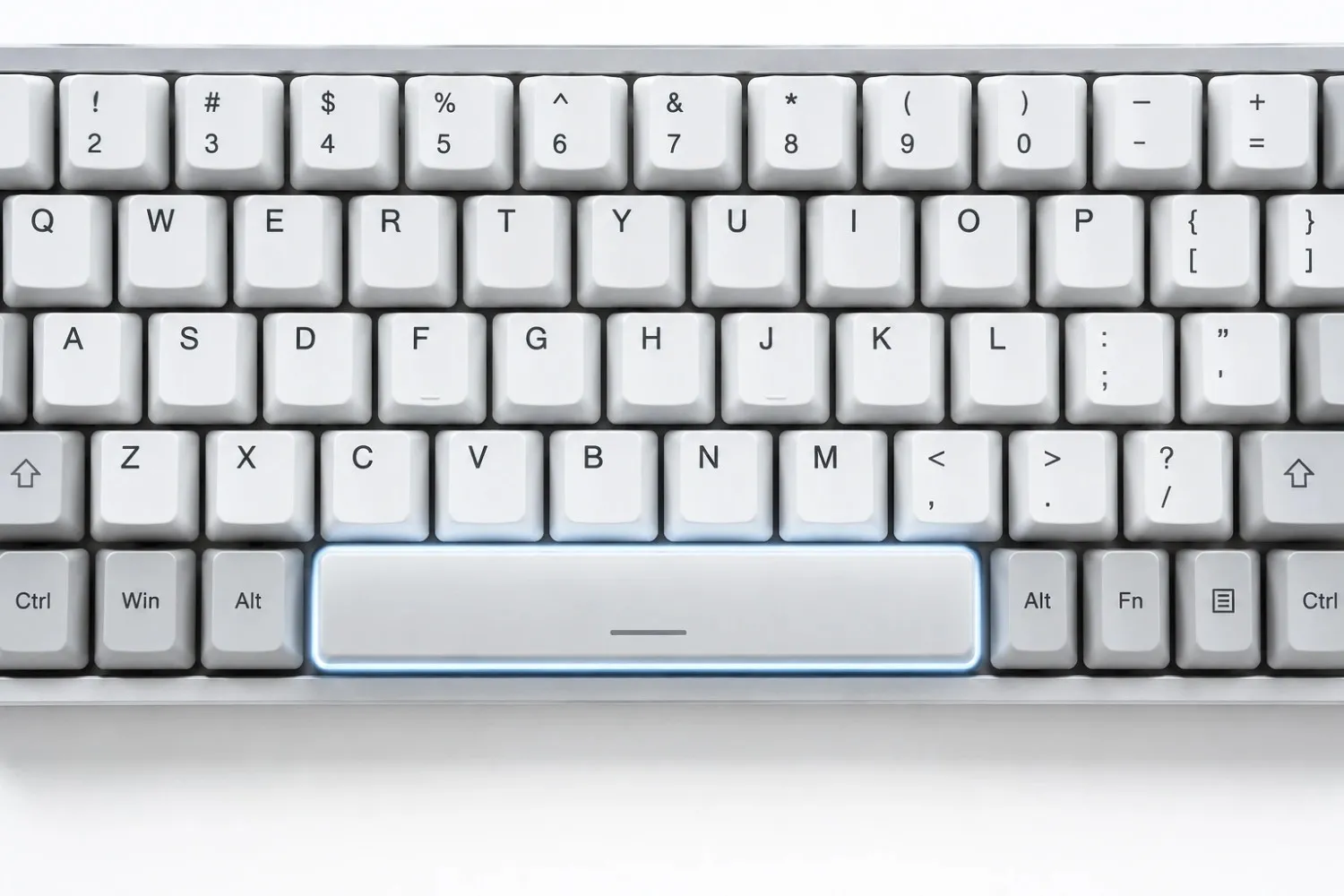
Keyboard type matters here, too. A spacebar on a mechanical keyboard with a light linear switch behaves completely differently from a laptop spacebar with full stabilizers. Stabilized spacebars are heavier and have more travel, which caps your realistic ceiling. Rattly or stiff stabilizers make it worse; lubricating the stabilizer contact points is one of the few hardware tweaks that genuinely helps clicking speed on a membrane board.
What the Spacebar Clicker Community Says
Real players use this tool in ways that go well beyond chasing a number. One active discussion started with a simple question: how do you advance to World 2 in Spacebar Clicker? The thread ran for nearly two years. Players worked through the rebirth mechanic together and gradually figured out that World 2 progression requires completing upgrades through the shop icons directly, not the currency display. One player summed it up after rebirthing 30 times: the feature was still in beta.
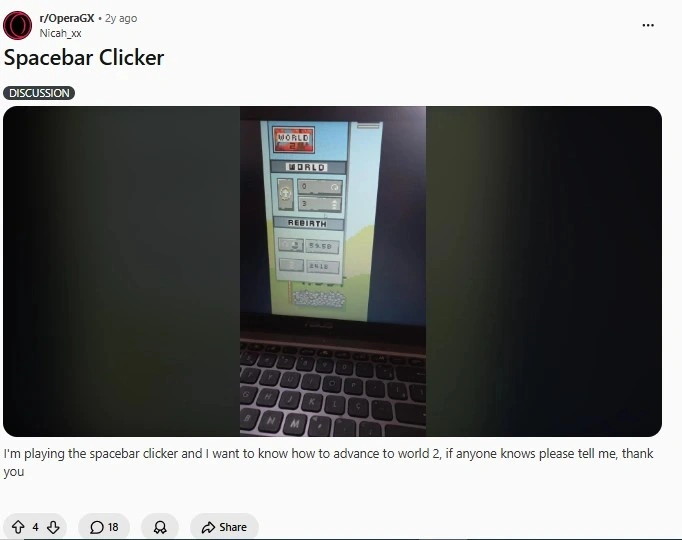
That kind of engagement does not happen around tools people do not care about. It happens when a game is simple enough to pick up in seconds but has enough underneath to keep people curious for months.
Spacebar Clicker and the Google Doodle
Some visitors arrive looking for the Google Doodle spacebar clicker, a specific interactive doodle that featured spacebar-based gameplay. If that is what brought you here, you are in the right place.
The Google spacebar clicker doodle introduced many people to the concept for the first time. Our tool is the permanent version, with CPS tracking, leaderboards, timer modes, upgrades, and an auto-clicker built in. It is always available and never tied to a specific date.
For a detailed analysis of how this tool compares to other versions you may have used, including Hooda Math, Arealme, JS13kGames, and others, a comparison guide to spacebar clicker alternatives evaluates the key differences in features and performance.
Conclusion
The secret to beating your pace on a spacebar clicker is to find a rhythm that doesn’t wear out your fingers before the timer hits zero. Whether you’re using a spacebar click counter to warm up your hands before a long typing session, to increase your APM for competitive gaming, or to actively try and make a place on the global leaderboard, regular practice on a responsive mechanical keyboard makes a difference. To get a better understanding of how this tool compares to other versions you might have seen, like Hooda Math, Arealme, JS13kGames, and others, a comparison guide to spacebar clicker alternatives highlights the main differences in features and performance. Quick sprints to determine your top speed, then gradually increase the length of your endurance tests and take rests in between so you don't strain your hands.
FAQs
What is a spacebar clicker?
A spacebar clicker is an online tool that counts how many times you click the spacebar in a given time. It gives your CPS or clicks per second and your score to compete against other gamers or your previous scores. It also measures APM, clicking accuracy, and warm-up before gaming or typing.
How does the spacebar click test work?
Choose a timer, press the spacebar to start, and click as fast as you can until the timer goes off. The tool records each keypress and computes your average and high CPS. As soon as the timer ends, you will see your full score breakdown.
What is a good spacebar clicking speed?
For most people, a good average is 5 to 8 CPS on a 10-second test. Competitive players who practice a lot can reach 10 to 12 CPS. Anything above 14 CPS on a verified test is exceptional.
Can I use a spacebar clicker timer?
Yes. The game includes preset timer modes: 5 seconds, 10 seconds, 30 seconds, and 60 seconds, plus a custom timer option for any duration you want to set. Each mode starts the moment you press the spacebar for the first time.
Is Spacebar Clicker the same as a Spacebar Counter?
They describe the same tool. A spacebar counter counts clicks. A spacebar clicker game adds scoring, timers, leaderboards, multipliers, and achievements on top of the basic count.
Can I use Spacebar Clicker on mobile?
Yes. The game is touch-responsive. Tap the spacebar area on the screen. Mobile scores are generally lower than keyboard scores due to touch latency, which is expected and normal.
Is it allowed to use a spacebar auto-clicker?
On this site, the auto clicker is a built-in feature for calibration and testing. On the global leaderboard and Top 500 challenge, auto-generated scores are not accepted and will be removed.
How fast can you click the spacebar?
Current verified top speeds sit above 16 CPS over a 10-second test. Most people reach 8 to 12 CPS under real conditions. Keyboard hardware, warmup state, and technique all affect the ceiling.
What is the spacebar clicker Google Doodle?
Google has previously featured interactive Doodles using the spacebar as the main input. Those are not permanently available. This site is the ongoing alternative with CPS tracking, leaderboards, timer modes, and upgrades, always live.
Why does my spacebar score change each session?
Finger fatigue, warmup state, keyboard type, and browser focus all affect your score. Running three tests and averaging the middle result gives a more accurate read than any single session.
How do I advance to World 2 in Spacebar Clicker?
In the browser-based idle version of the game, World 2 progression requires completing upgrades through the shop icons directly, by clicking the upgrade icon, not the currency display. The rebirth mechanic must be completed first. On our site, progression works through the achievement system, score multipliers, and leaderboard ranking rather than world unlocks.
What are the upgrade categories in Spacebar Clicker?
Upgrades are split across two types: speed upgrades that increase how fast you click, and multiplier upgrades that increase how many points each click earns. Early on, multiplier upgrades give faster returns. Later, speed upgrades become more valuable as your base clicking rate improves. Auto-clicker upgrades generate passive score even when you are not actively playing.
Is Spacebar Clicker free?
Yes. Completely free. No paywalls, no premium tiers, no locked features. The game runs in any modern browser with no download or account required.
Does Spacebar Clicker work on Chromebook?
Yes. The game runs in any modern browser with no extensions or downloads needed. Chromebook users will find it works out of the box, including on most school networks.