How Fast Can You Click the Spacebar? CPS Benchmarks and World Records
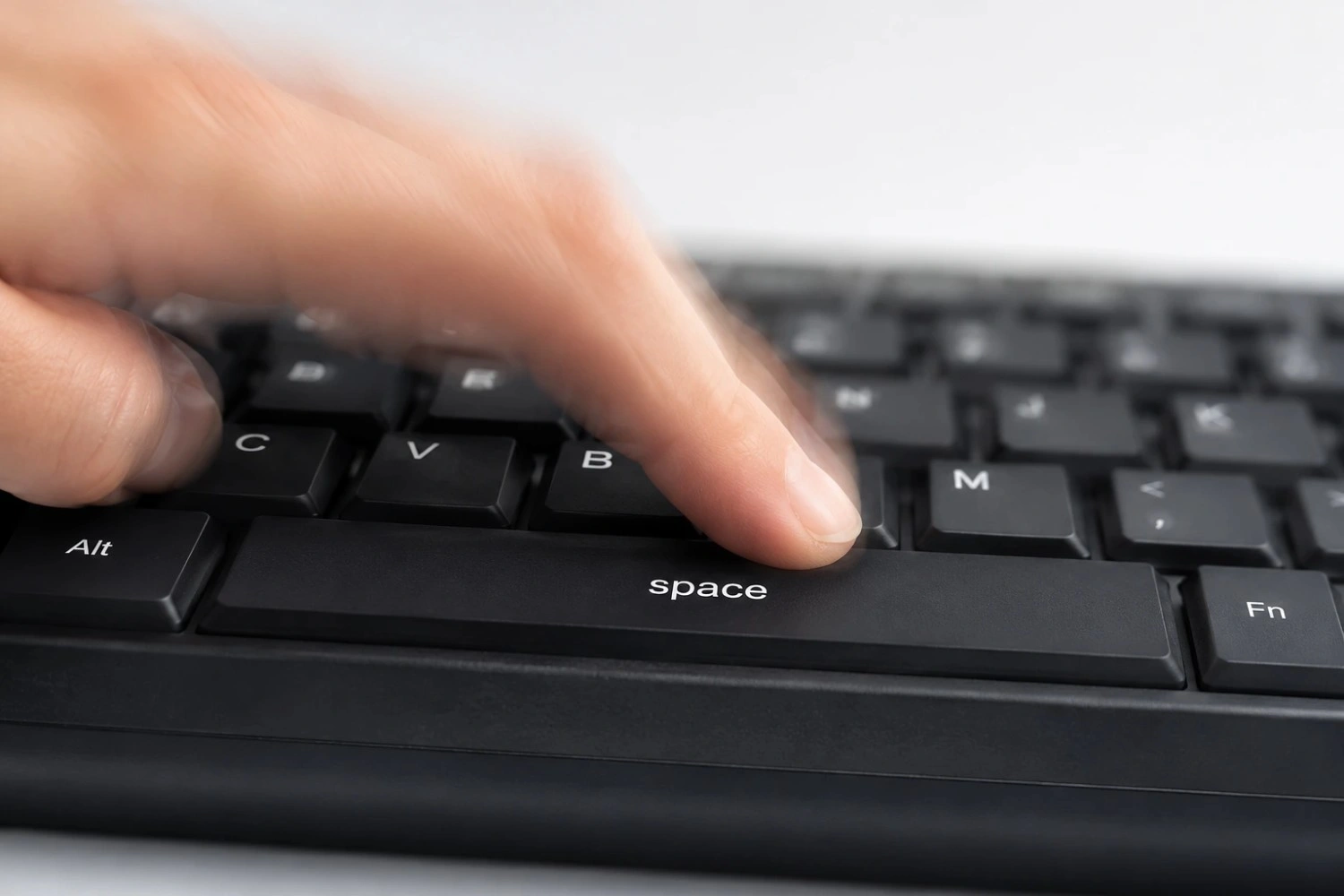
Most people score between 6 and 9 CPS on a 10-second test. Regular players who train tend to hit 10 to 14. Verified world records go above 16 CPS, but very few people ever reach that under real conditions.
That's the quick answer. The full picture is more interesting. It also explains why your scores probably look different from what you've read elsewhere.
Why Test Duration Changes Your Score More Than You Think
Ever hit 10 CPS on a 5-second test, then struggle to break 7.5 on a 60-second run? That's not a mistake. It's completely normal.
Short tests, 5 seconds or less, tap into what's called the phosphocreatine system. Your muscles store a small amount of fast-burning energy. It fires hard and runs out fast. In those first few seconds, you're basically sprinting. That's your absolute peak. It won't get higher than that.
After the 10-second mark, things change. Your muscles switch to a slower energy system. That system creates lactic acid as a byproduct. Lactic acid builds up and slows down each press. By 30 seconds, hand fatigue kicks in for almost everyone. By 60 seconds, most people have dropped 1.5 to 3 CPS from where they started.
Here's what that looks like in practice. These numbers come from community data, not a lab, so use them as a rough guide.
A player averaging 8 CPS over 10 seconds will likely hit 9.5 CPS on a 5-second burst. That same player probably averages around 7.2 CPS over 30 seconds. Over a full minute, expect 6.2 to 6.8. The drop isn't a failure. It's just how muscles work.
This is also why you can't compare scores from different test lengths. A 5-second score and a 60-second score mean totally different things. For a fair personal benchmark, the 10-second test is the most reliable. It's long enough to cut out pure burst speed, but short enough that endurance isn't the main factor yet. Try our spacebar click speed test and run all four timer modes back to back to see your full range.
World Records: What Verified Actually Means
People throw the number 16+ CPS around a lot. But what it means depends on how the score was captured.
Scores posted to forums, Discord, or social media can't be verified. There's no way to check if the timer was accurate, if macros were running, or if the video was edited. The clicking community has seen all three happen. That's not a cynical take; it's just the nature of any online activity where numbers can be faked.
A score worth believing needs two things. First, the test has to run on a known tool with a clear timestamp and no outside software running. Second, a screen recording of the full session, no cuts, adds real credibility. For official Guinness World Records, an in-person adjudicator must be present. That's why most credible records happen at live events, not through online uploads.
Based on community-verified video, the believable ceiling for spacebar clicking sits between 14 and 17 CPS over 10 seconds. Scores above 17 CPS have been claimed. None has held up under close review at the time this was written. Mouse click records, tracked through tools like Jspeed, show a similar range, with the top verified results clustering between 14 and 16 CPS.
One thing almost all well-documented top scores have in common: a mechanical keyboard with light linear switches. That's not random. The hardware plays a real role.
How Your Keyboard Sets Your Ceiling
Most CPS guides mention keyboards in one sentence and move on. That undersells it. Your keyboard doesn't just affect feel; it sets a hard ceiling on what you can realistically reach.
Laptop Keyboards
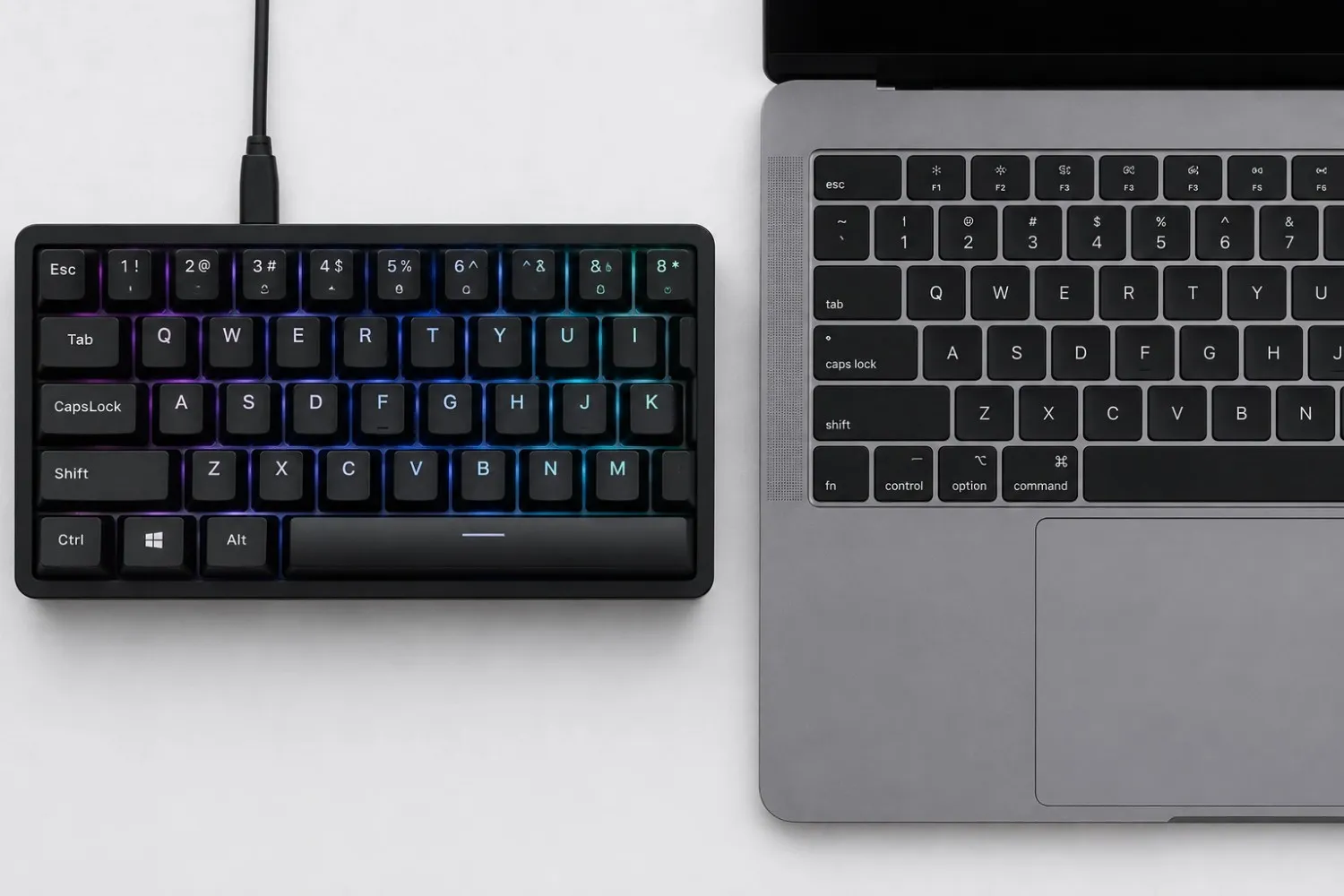
Most laptops use scissor-switch or chiclet keys. Key travel is usually 1.0 to 1.5mm. Actuation force sits around 45 to 55 grams. Short travel sounds fast on paper. In reality, the key slams into a hard backing plate on every press. The stiff return fights you on the way back up.
Community testing puts the ceiling for most people on a laptop spacebar at around 9 to 11 CPS over 10 seconds. Skilled players can push through that, but the keyboard is working against them the whole time.
Membrane Keyboards
Standard desktop membrane boards have 2.0 to 2.5mm travel and 45 to 60 gram actuation. The extra travel gives a bit more room. But the rubber dome underneath feels mushy and inconsistent. The bigger issue is registration variance, the exact point where the key fires shifts slightly from press to press. That inconsistency shows up directly in your CPS score.
Mechanical Keyboards: Linear Switches
This is where scores actually improve. Linear switches, Cherry MX Red, Gateron Yellow, Gateron Red, and similar, have actuation forces as low as 35 to 45 grams. The keypress is smooth from top to bottom. No bump, no click. The key fires at the same point every single time.
Players who switch from membrane to linear mechanical boards regularly report gaining 1 to 2 CPS on 10-second tests without changing anything else. That's a pure hardware gain.
Tactile and Clicky Switches
Tactile switches like Cherry MX Brown have a small bump just before the key fires. Great for typing. For fast clicking, that bump adds resistance right when you want none. Most people score 0.5 to 1 CPS lower on tactile boards versus linear, all else equal.
Clicky switches like Cherry MX Blue have a mechanism that adds a small reset delay. Skip them entirely for speed testing.
The Stabiliser Factor
The spacebar is the only key on most boards with wire stabilisers. These are metal bars inside the keycap that keep both ends level. On cheaper keyboards, those stabilisers rattle, stick, or create uneven resistance across the key.
A rough or rattly spacebar adds small amounts of friction to every single press. Each one feels minor. Over thousands of presses in a session, it adds up. Lubricating stabiliser contact points with dielectric grease or a stabiliser-specific lube takes about 20 minutes. For many players, it's one of the few hardware tweaks that produces a real, measurable CPS gain.
Age, Hand Size, and Hand Warmth: The Factors Nobody Mentions
These three don't show up in most clicking guides. They're harder to control for. But they have real effects on your scores.
- Age and reaction speed. Fine motor control and neurological processing speed both peak somewhere between the mid-teens and late twenties. A 2014 Simon Fraser University study, based on data from cognitive tasks tracked through research on motor processing and reaction speed, found that processing speed peaks around age 24. That doesn't mean older players can't score well. It means that if you're over 35 and hitting a ceiling, part of that may be physiological rather than a technique problem.
- Hand size and finger length. Longer fingers have more mechanical leverage on a wide key like the spacebar. Less effort needed per press. Players with shorter thumbs sometimes do better using two-finger alternating, index and middle finger, instead of thumb-only. The thumb's shorter lever limits return speed for some people. Where your thumb naturally contacts the key also matters. For smaller hands, the pad lands first. For larger hands, the tip tends to make contact, and that's actually the faster contact point for most people.
- Hand temperature. Cold hands click slower. That's not a feeling, it's a measurable drop. Cold tendons and muscles have less elasticity and slower contraction speed. Players testing in cold rooms or first thing in the morning consistently score lower than the same players after a short warm-up. This is exactly why the warm-up section in our guide on improving your spacebar CPS starts with slow, easy clicking. It's not about building speed. It's about getting your tendons ready to move.
If your scores jump around a lot between sessions, test again after five minutes of light hand movement. The difference is often 0.5 to 1 CPS, sometimes more in cold conditions.
What 14+ CPS Actually Takes
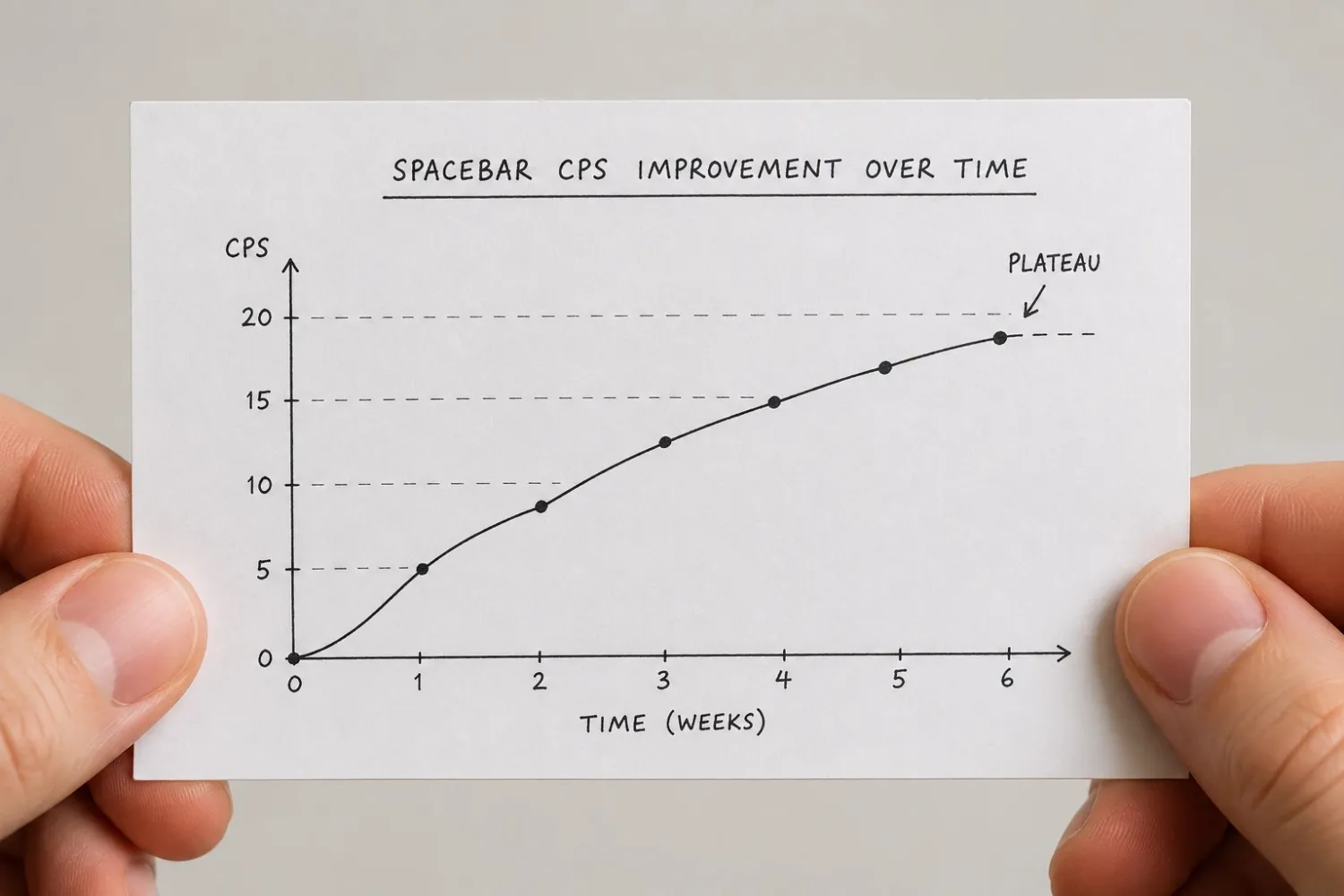
Most people plateau between 7 and 10 CPS. That's not a ceiling most bodies can't pass. It's usually a ceiling of technique and tools.
Going from 5 to 10 CPS is mostly about removing bad habits. Tension in the hand. Vertical thumb movement instead of horizontal. Pressing in inconsistent spots on the key. Fix those things, and scores climb fairly quickly, often within a few weeks.
Going from 10 to 14 CPS is a different challenge. That jump needs real motor skill development. Your nervous system has to build faster movement patterns. That process takes time. It doesn't respond well to cramming. Short, consistent sessions work far better than long, exhausting ones. Players in gaming communities who've documented their path to 14+ CPS almost always describe timelines of three to six months, not days or weeks.
Hardware starts to matter more at this level, too. Getting to 14 CPS on a laptop is possible, but genuinely hard. Most verified scores above 14 CPS were set on mechanical linear boards. Stabiliser quality matters more at higher speeds because small inconsistencies in each press hit you harder when you're pressing faster.
The Spacebar Clicker has a benchmark table that shows where different score ranges land across casual, trained, and world-level players. The main point this post adds is that the top of those ranges isn't just about effort. It takes the right hardware, enough time, and deliberate practice, not just more attempts.
Conclusion
Your CPS score is shaped by more than just how fast your thumb moves. The keyboard you're on, how warm your hands are, which timer you used, and even your age all play a role before technique is even part of the conversation.
For most people, a fair benchmark is 6 to 9 CPS on a 10-second test. Trained players reach 10 to 14 months of real practice. World-level scores above 16 CPS need documented proof to mean anything.
Run your test on all four timer modes. Look at the gap between your 5-second and 60-second scores. That gap tells you more about where you actually are than any single number will.
Frequently Asked Questions
How fast can you click the spacebar?
Most people land between 6 and 9 CPS on a 10-second test. Players who train regularly tend to reach 10 to 14. Verified world records go above 16 CPS. Scores that high need documented proof, a clean screen recording, a known testing tool, and no outside software running.
What is a good spacebar CPS score?
It depends on your goal. Casual players usually hit 5 to 8 CPS. If you're consistently reaching 10 or above on a 10-second test, you're doing well. Scores above 12 CPS are genuinely competitive.
Why is my CPS higher on a 5-second test than on a 10-second test?
Short tests measure your burst speed. Your muscles store a small amount of fast energy that fires hard for a few seconds, then runs out. After 10 seconds, fatigue sets in and your pace drops. The difference between your 5-second and 10-second scores is totally normal. It doesn't mean anything is wrong.
Does the type of keyboard affect CPS?
Yes. Mechanical keyboards with light linear switches, like Cherry MX Red or Gateron Yellow, fire more consistently and with less resistance than laptop or membrane boards. Players switching from membrane to linear often gain 1 to 2 CPS without changing anything else. The keyboard matters more than most people think.
How can I tell if a world record CPS score is real?
Look for a full, uncut screen recording of the session. The test should run on a known tool with no macros or outside software. Scores posted to social media without any of that can't be verified. Official Guinness World Records require an in-person adjudicator. Most credible top scores come from live events for that reason.
Does age affect clicking speed?
It can. Motor control and reaction speed peak roughly in the mid-twenties. After that, they slowly decline. Most people plateau at 7 to 10 CPS because of technique and hardware, not age. But if you're in your late thirties or older and hitting a hard ceiling, some of that may be physical rather than fixable through practice.
Why do my scores change so much between sessions?
Hand temperature is often the main reason. Cold hands move more slowly. So does a hand that hasn't warmed up yet. Time of day, room temperature, and how recently you last tested all make a difference. Do a short warm-up before testing, even just two or three minutes of easy clicking. It reduces the variation a lot.
Where do you land on the table?
Run all four timer modes back to back and see your full range.
Take the CPS Test