Spacebar Clicker Unblocked: Play Free at School or Work (2026)
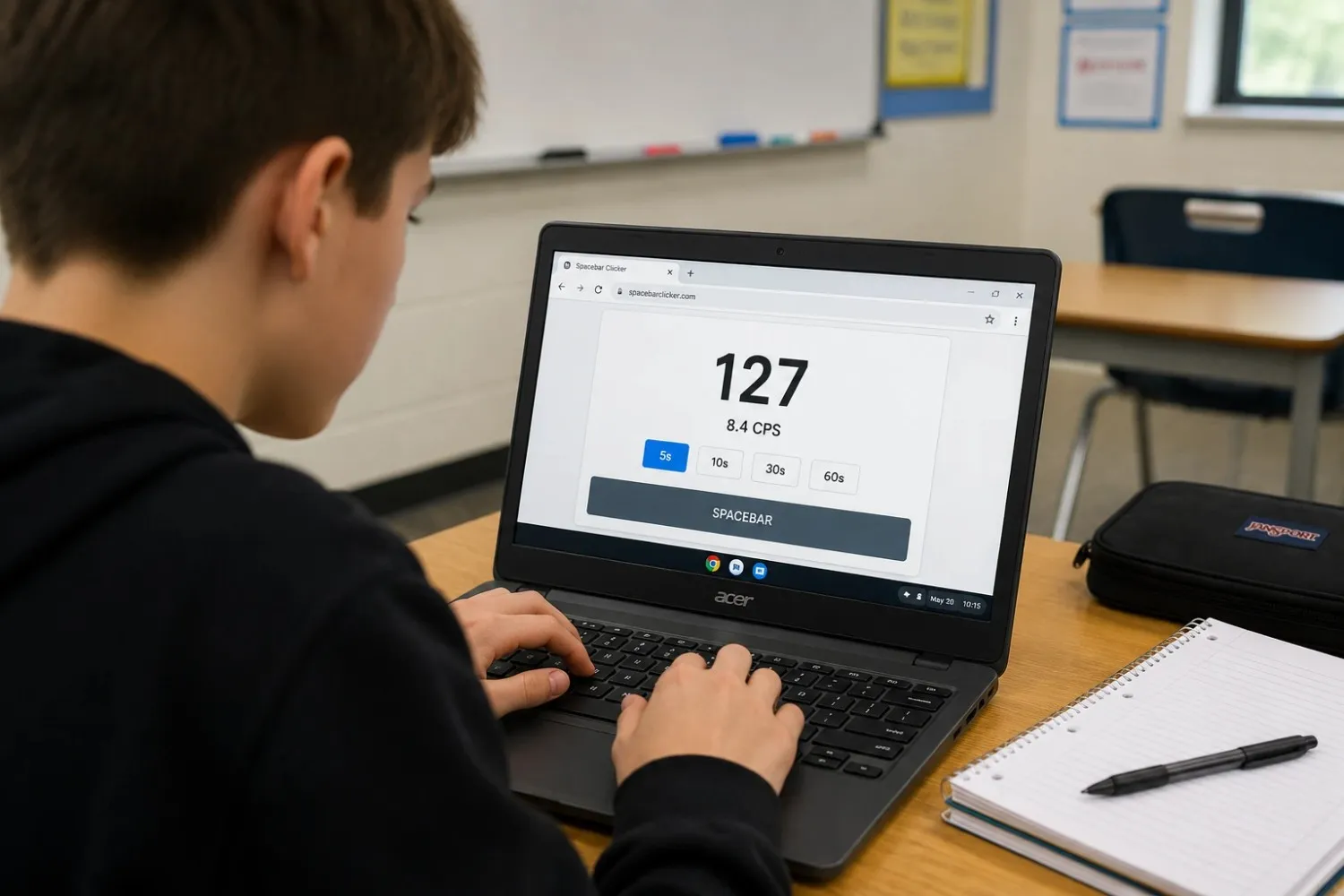
You found this page because a game you wanted to play got blocked. It happens to almost everyone on a school or work network. Most game sites trigger content filters the moment you load them, and you end up staring at an access denied screen instead of playing.
This guide explains why that happens, what makes a browser game actually unblocked, and exactly how to play Spacebar Clicker on any school device, Chromebook, Windows laptop, iPad, or Firefox, without needing downloads, extensions, or any workaround tools.
What 'Unblocked' Actually Means
The word gets used loosely. When students say a game is unblocked, they usually mean one of two things: either the game is hosted somewhere their school filter has not blacklisted yet, or the game is built in a way that does not trigger the filter at all.
Those are very different situations. The first kind, hosted on a proxy site or mirror, often works temporarily, but those domains get added to blocklists regularly. Schools update their filters, the site disappears, and you are back to square one.
The second kind is more reliable. It means the game itself is built to avoid the technical signals that content filters look for. That is what this game is, and the section below explains exactly why.
How School Network Filters Actually Work
Most school networks use one of a few filtering systems, products like Cisco Umbrella, Securly, Bark, or GoGuardian. These tools block content in three main ways.
The first is a domain blocklist. The filter maintains a database of domains categorised as games, entertainment, or social media, and any request to those domains gets blocked automatically. Popular game aggregator sites, the ones with hundreds of games on one domain, almost always end up on these lists because they get reported or flagged as a category.
The second is keyword filtering. Some filters scan page titles, URLs, or metadata for words like 'games', 'play', 'arcade', or 'clicker'. A URL with 'game' in it can be enough to trigger a block on some networks.
The third is category-based blocking. Filters can block entire categories, such as 'online gaming', 'streaming', and 'social media', rather than specific domains. If a site has ever been categorised under online gaming by the filter vendor, it stays blocked regardless of what the actual content is.
Flash-based games and games requiring downloads get blocked through a fourth mechanism: content type filtering and executable blocking. Schools routinely block .swf files and prevent executable downloads entirely.
Browser-native games that run in plain HTML and JavaScript do not carry any of those signals on their own. The filter sees a normal webpage request.
Why This Game Passes School Filters
Spacebar Clicker runs entirely in the browser using standard HTML and JavaScript. There is no Flash dependency. No executable to download. No app to install. From a network filter's perspective, it looks like an ordinary webpage.
The specific reasons it avoids common filter triggers are worth going through one by one.
- No third-party ad scripts are loading from blocked ad domains. Many game sites load ad scripts from domains that content filters have already categorised. Those scripts trigger category-based blocks even when the game page itself is clean.
- Loads over standard HTTPS. The site uses a plain, encrypted connection with no unusual ports or protocols that enterprise filters flag.
- Minimal external calls. The game does not make requests to dozens of outside domains during page load. A low number of external requests means fewer opportunities for a filter to intercept something it dislikes.
- Not listed on major game aggregator blocklists. The site is not part of a network of game mirror sites that filters have pre-categorised.
- No Flash, no Java, no plugins. Content type filtering does not apply.
None of this is a guarantee. Individual school networks vary, and some run more aggressive filters than others. But the technical setup of this game removes the most common blocking triggers found across standard filtering products.
Platform-by-Platform Breakdown
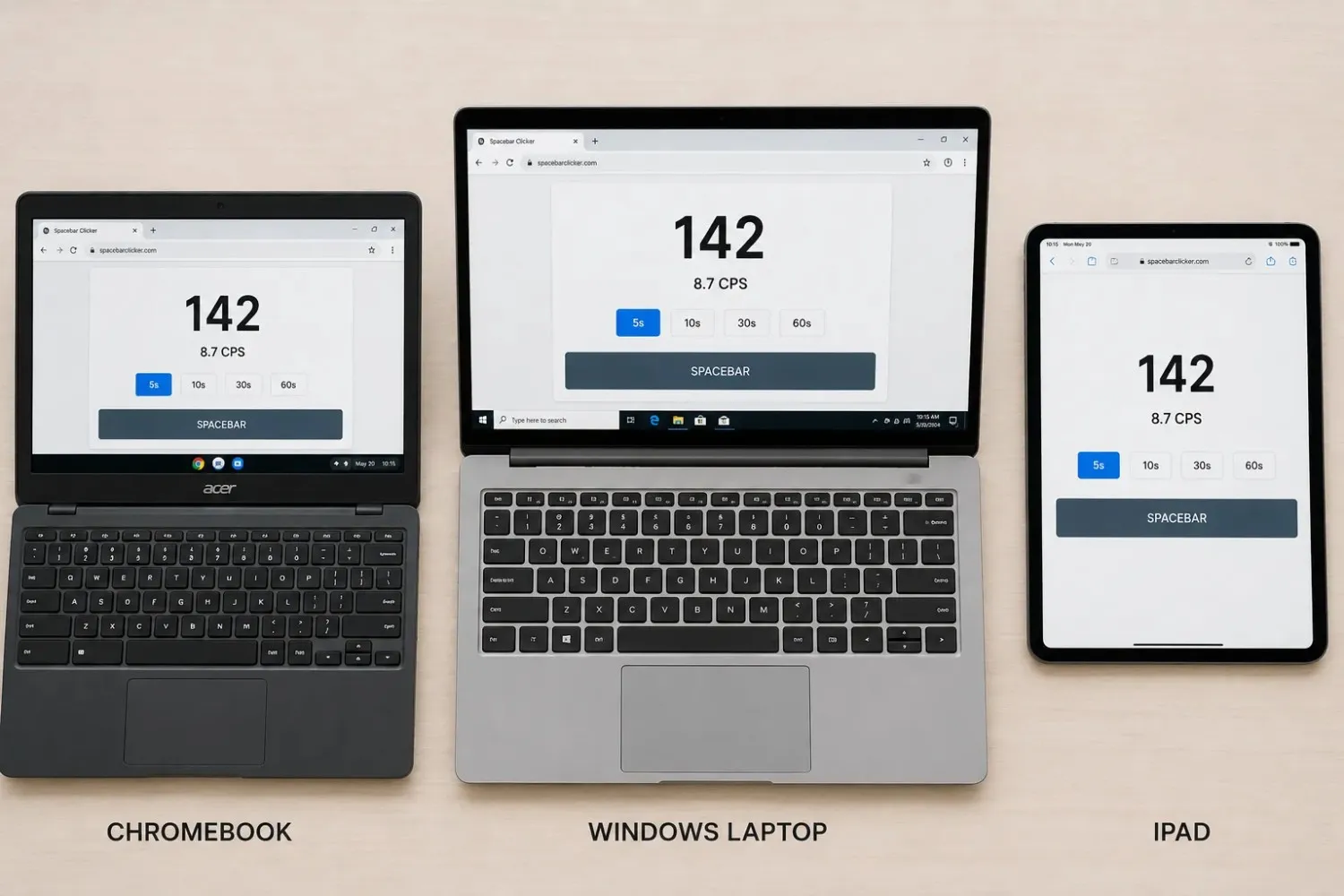
Below is a platform-by-platform breakdown based on how the game actually performs across the devices most commonly used in school settings.
| Device / Browser | Tested On | Works Without Extensions? | Notes |
|---|---|---|---|
| Chromebook (Chrome OS) | Chrome browser | Yes | Most common school device. Works out of the box. No extensions needed. |
| School Windows Laptop | Chrome + Edge | Yes | Tested on both browsers. No plugins or downloads required. |
| iPad (iPadOS) | Safari + Chrome | Yes | Touch events are mapped correctly. Tap the spacebar area to click. |
| School-issued Firefox | Firefox 115+ | Yes | No plugin required. Works on current and recent Firefox versions. |
| Mobile Android | Chrome Mobile | Yes | Touch input works. Scores are generally lower due to touch latency, which is expected. |
Chromebook: The Most Common Case
Chromebooks are the default device in a huge number of schools, particularly in the US. They run Chrome OS, which means they only natively run browser-based applications, which is exactly what this game is.
The game loads in Chrome on Chrome OS without any setup. No Google Play app needed. No Android layer required. You open the browser, navigate to the page, and it runs. The spacebar key works exactly as it does on any other keyboard.
One thing to be aware of: some Chromebook keyboards have a shorter-travel spacebar compared to desktop keyboards. Your CPS scores on a Chromebook may be slightly lower than on a full-size mechanical keyboard. That is a hardware difference, not a game issue.
School-Issued Windows Laptops
Most school-issued Windows machines run Chrome or Edge as the default browser. The game works in both. No Java plugin, no Flash player, no browser extension.
If your school uses a managed browser profile that blocks certain websites by URL pattern, that is a network-level restriction, not something the game itself triggers. In that case, the URL would need to be added to any allowed list by your school's IT team.
iPads and Touch Devices
The game maps touch events to the spacebar area on screen. Tapping the on-screen spacebar element counts the same as a keypress on a physical keyboard. Mobile scores are typically lower than keyboard scores; touch latency adds a small delay between tap and registration that you do not get on a physical key. That is a known difference and not something specific to this game.
Firefox on School Networks
Schools that deploy Firefox as the standard browser sometimes do so because of tighter extension controls. The game requires no Firefox plugin or add-on. It runs on any current Firefox version in the same way it runs in Chrome or Edge.
What 'Unblocked 6x' and 'Unblocked 76' Mean
If you have been searching for Spacebar Clicker unblocked and seen results mentioning Classroom 6x or Unblocked Games 76, here is what those are.
Classroom 6x and Unblocked Games 76 are proxy platforms, websites that host copies or embedded versions of popular browser games specifically so students can access them on school networks. They operate on domains that have not yet been added to school blocklists, so games that would otherwise be blocked can load through them.
These platforms work until they do not. School IT teams add new domains to filter lists regularly, and proxy sites get blocked eventually. Some students rotate between different proxy URLs, and as each one gets caught, it becomes a cycle of finding a new one every few weeks.
Searching for 'spacebar clicker unblocked 6x' or 'spacebar clicker unblocked 76' means you are looking for the game hosted through one of those platforms. This site is the direct version; no proxy needed. If the URL is accessible on your network, you are playing the full game without any intermediary.
The advantage of a direct version over a proxy version: no lag introduced by routing through a third-party server, no stripped features, and no outdated cached copy of the game. Proxy-hosted games often load a month-old version with missing features.
How to Play in Class Without Getting Caught
If you are playing during a break, between tasks, or in a free period, a few practical habits make the setup cleaner.
- Bookmark the URL directly. Save it as a browser bookmark on your device rather than searching for it each time. Searching for 'spacebar clicker unblocked' from a school device can itself trigger keyword filters on some networks. A direct bookmark bypasses that entirely.
- Use keyboard-only mode. The game runs entirely on the spacebar key. No mouse clicks required, no on-screen tapping. Your hand stays on the keyboard, which looks identical to typing.
- Sound is off by default. The game does not play audio automatically. You do not need to mute your device before opening it.
- Single browser tab. The game runs in one tab with no pop-ups and no auto-launching windows. It looks like any other browser tab from the outside.
- Set up a quick-close keyboard shortcut. On Chrome OS and Windows, Ctrl+W closes the active tab instantly. On a Mac, Cmd+W does the same. Practising this once means you can close the tab in under a second if needed.
- The game auto-pauses when the tab loses focus. If you switch to another tab or window, clicking stops counting. Nothing is running in the background.
None of these tips affects your actual score. They are just setup habits that make the session cleaner.
A Game Students Keep Coming Back To
Loading a game on a school network is the easy part. The harder part is finding one worth returning to.
Students who play on restricted networks tend to settle on a short list of games that work reliably and do not get stale after a week. The ones that last are not always the most complex; they are the ones with a loop that rewards repetition. A faster score today than yesterday is enough of a reason to open the tab again tomorrow.
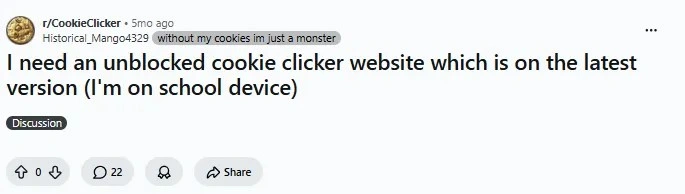
This came up clearly in a discussion about finding browser games that stay accessible at school. Students described the same frustration repeatedly: a game works for a few weeks, the domain gets flagged, and they are searching again from scratch. The issue was never finding something to play. It was keeping access to the specific game they had already built a habit around.
Spacebar Clicker does not have that problem. It sits on a stable URL, loads clean, and the core loop, press faster, beat your last score, is simple enough to pick up in thirty seconds, but just awkward enough to master that most people do not hit their ceiling on the first try. That combination is why students on school networks come back to it rather than treating it as a one-session tool.
Other School-Friendly Tools Worth Knowing
Students looking for browser games that work on school networks often search for a handful of the same names. Here is a quick look at the most common ones and how they compare to this tool.
Hooda Math
Hooda Math is an educational games platform widely used in US schools. Because it is branded as an educational resource, it sits on the allowed list for a large number of school filters. It hosts a version of Spacebar Clicker alongside dozens of other games. The trade-off is that the Hooda Math version is basic, one-timer mode, no CPS breakdown, no leaderboard, and the page is surrounded by ads. It works through most school filters precisely because of the educational branding.
For a full comparison of Hooda Math against other versions of the game, including Arealme, Monkeytype, and the Google Doodle version, take a look at the spacebar clicker alternatives guide, which breaks down each one honestly.
Classroom Games Aggregators
Sites that aggregate classroom games, often with names like 'Classroom Games' or 'Cool Math Games', tend to be pre-approved by school filters because they were originally built as educational resources. They carry games that pass filter categorisation by association with the domain.
The downside of aggregator platforms is that the game versions they host are often embedded copies with stripped features. Leaderboards do not work. Custom timers are missing. The game runs, but not at full capability.
What to Do If the Game Is Still Blocked
If you reach this site and find it is still blocked on your specific network, the most likely cause is one of two things: either the domain has been manually added to your school's blocklist, or your school's filter uses a particularly aggressive category system that flags browser-based games regardless of how they are built.
A few options are worth trying.
- Try accessing it from a personal data connection. If you have a phone with mobile data, switching to your phone's hotspot removes the school network filter entirely.
- Ask your teacher or IT team to whitelist the domain. Some schools will approve specific sites if there is a clear reason, using the speed test tool for a class activity or a gaming club context is often enough.
- Access on a personal device if school rules allow. Bring-your-own-device policies at some schools mean personal phones or tablets are on a separate network that does not carry the same restrictions.
If you are interested in the speed test specifically, measuring your CPS, tracking your improvement over time, the spacebar click speed test page has four timer modes and a detailed score breakdown. It is the same lightweight build, so wherever this page loads, that page should too.
Conclusion
School network filters exist for legitimate reasons, and most of the time, they do their job well. But they also catch genuinely harmless tools, and a browser-based CPS counter that runs on the spacebar is about as harmless as it gets.
Spacebar Clicker loads on Chromebooks, school laptops, iPads, and Firefox without extensions, downloads, or workaround tools. It does not trigger the common filter signals that block most game sites. If your network allows standard browsing, there is a good chance this page loaded fine, and the game runs the same way.
If it is blocked on your specific network, the practical options are a personal data connection, a whitelist request, or a personal device. None of those involves anything that creates a problem.
Open the page, press the spacebar, and see how fast you actually are.
Frequently Asked Questions
Is Spacebar Clicker unblocked at school?
For most school networks, yes. The game runs in a standard browser with no plugins, no Flash, and no external ad scripts that commonly trigger content filters. Whether it loads on your specific network depends on how your school's filter is configured.
Does it work on a Chromebook?
Yes. The game loads in the Chrome browser on Chrome OS with no extensions or setup. Chromebook is actually the most common device this game gets played on in school settings.
What is Classroom 6x?
Classroom 6x is a proxy platform that hosts browser games on a domain not yet blocked by most school filters. Students use it to access games that would otherwise be blocked. This site is a direct version of the game; no proxy is needed.
What is Unblocked Games 76?
Unblocked Games 76 is another game proxy platform, similar to Classroom 6x, that students use to reach games blocked on school networks. Like all proxy platforms, it works until the domain gets added to a school's blocklist.
Does the game play audio automatically?
No. Sound is off by default. You do not need to mute your device before opening the game.
Does it work on mobile or iPad?
Yes. Touch events are mapped so tapping the spacebar area registers the same as a keypress. Scores on touch devices are typically lower than keyboard scores due to touch input latency, that is, a hardware difference, not a game issue.
What is 'play spacebar clicker with 22+'?
This refers to a multiplayer or classroom mode where multiple students play at the same time. The game includes modes for group sessions and competitive play within a classroom setting.
Can I save my score on a school device?
Your score appears on screen at the end of each session. The leaderboard requires a submission, which works as long as the page can reach the server. On restricted networks, leaderboard submission may not work even when the game itself loads.
What is a good CPS score for a school laptop?
On a typical Chromebook or school laptop keyboard, 6 to 9 CPS on a 10-second test is a solid result. Laptop keyboards have slightly less travel than full-size boards, which puts a soft cap on most people's peak scores. Scores above 10 CPS on a laptop keyboard are genuinely fast.
Why does the game look different on proxy sites like Unblocked 6x or 76?
Proxy-hosted versions are often cached copies that do not update when the original game does. They may be missing features like the multi-mode timer, leaderboard, or consistency score. The direct version here always reflects the current build.
See how fast you actually are
No download, no Flash, no extensions — the game runs right in your browser.
Play Spacebar Clicker